A price that no longer depends on duration
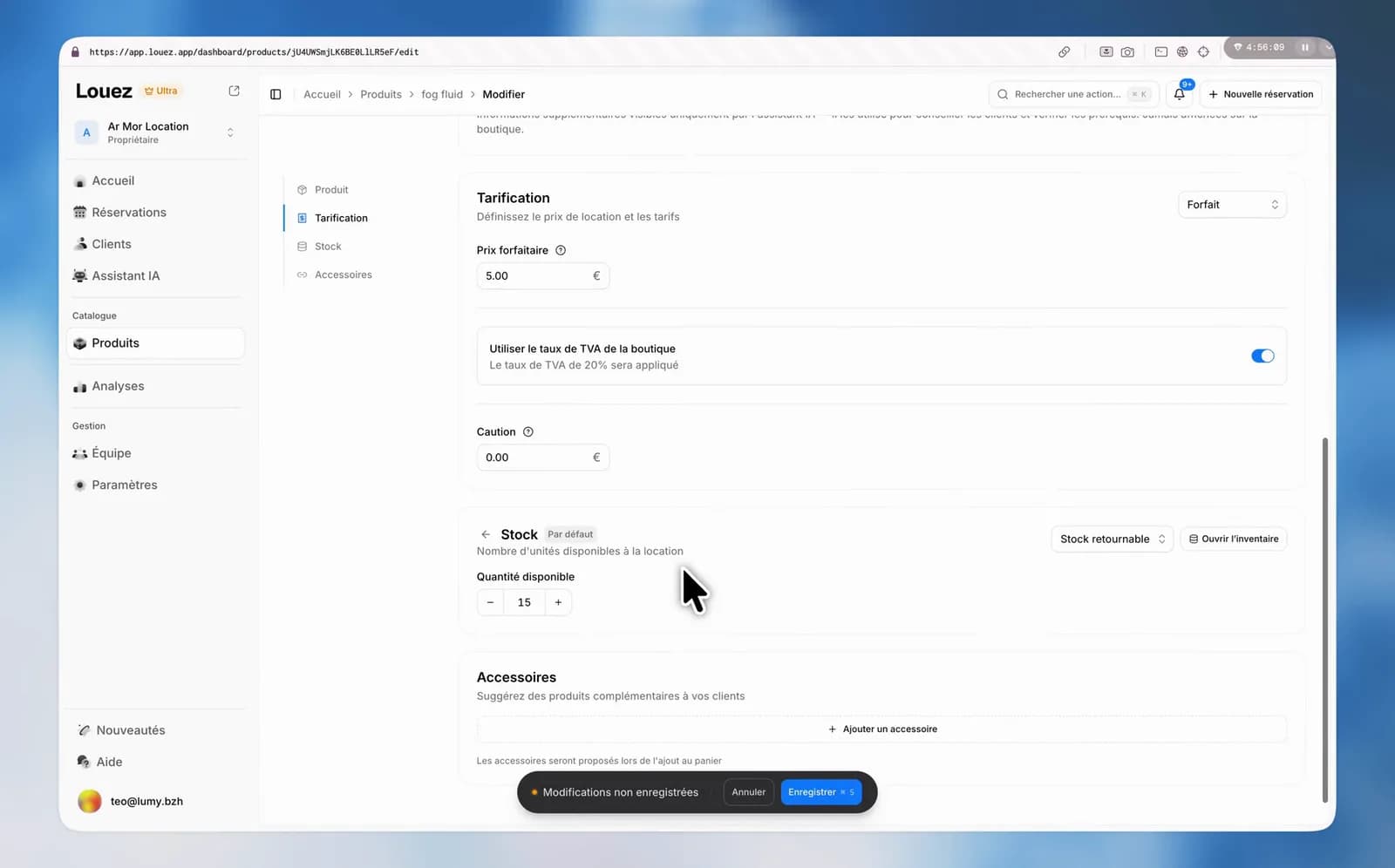
A cleaning, a delivery, a service: not everything is billed by the hour. Switch the pricing to "Flat rate" and the price stops moving, whether the rental runs two hours or two weeks. Tiers, seasons and the chart step aside; one amount is left, with its tax and its deposit.
Price calculation started from a simple premise: an amount multiplied by a duration. True for a bike. Not true for a cleaning, a delivery or a service, which cost the same whether the rental runs two hours or two weeks.
One amount, and nothing else
At the top of the Pricing card, a "Pricing mode" selector offers two choices: by duration, or Flat rate. Switch to Flat rate and everything time-dependent leaves the card — the base period, the tiers, the chart, the seasonal rates. What is left is a Flat price field, its tax and its deposit.
The amount is charged once per booked item. Three helmets at 5 €, that is 15 €, whether the customer keeps them one evening or ten days. The deposit follows the same rule.
In the shop, a price with no "per day"
The catalogue, the product page, the quick preview, the accessory list, the advisor, the cart and the checkout summary all show the amount on its own, with a discreet "Flat rate" beside it. No duration suffix anywhere, and the price shows before the customer has picked any dates, since it no longer depends on them.
A flat rate is still a product in your catalogue
It is not an extra-fee line. It is a full product, with its photos, its description, its deposit and its stock. It can be booked on its own, or attached to another product as an accessory: that is how you sell a cleaning with a bike, or a refill with a stove.
It is also the way in to consumables. A product that leaves with the customer is always sold at a flat rate — see The things that leave with your customer.
What switching erases
A flat rate has no volume tiers and no seasonal rates, by design. If the product had any, they are deleted when you save, not merely hidden. Switching back to duration pricing does not bring them back: you will have to enter them again.
On a product that works well with its tiers, duplicate it before trying.
If you find yourself wanting a flat rate somewhere other than a product page, tell us from the Help button at the bottom of the menu.