Variants, made simple
The attributes you used to type by hand are now proper variants, shared across your whole store. Size and Colour are ready as soon as you turn on per-unit tracking, Shoe size and Material are one click away — and you no longer need one product page per size.
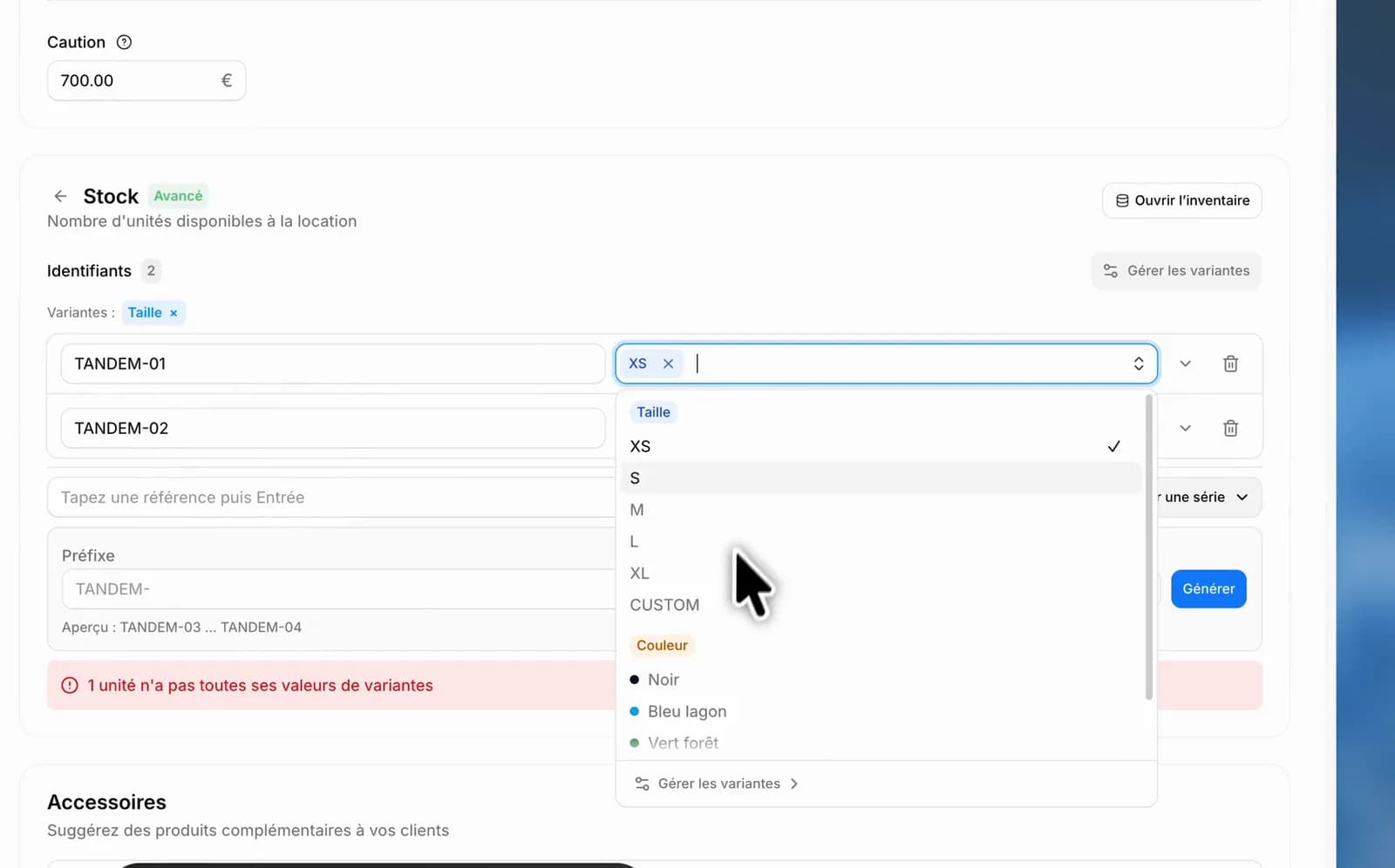
Per-unit tracking already let you tell your units apart with an attribute — but you had to type it by hand, product by product, with no way to know whether you had written "Size" here and "size" there. Those attributes are now proper variants.
Four ready-made sets
Turn on per-unit tracking on a product and the variants are waiting:
- Size and Colour are active from the start — the two almost everyone needs.
- Shoe size and Material are one click away when your gear calls for them.
- You can create your own, up to three variants per product.
The values are already there: S, M, L for sizes, a palette for colours with a picker when yours is missing.
Defined once, used everywhere
Your variants live in a catalogue shared across the whole store, managed from Manage variants. Rename "Size" once and every product follows. Turn "Material" off and it leaves the forms; delete it from the catalogue and the products that used it keep the values already recorded.
Each unit then carries its own values, and can have its own photos — handy when the colour actually being handed over deserves to be seen.
One page instead of twelve
This is where it pays off: instead of a "Ski suit S", a "Ski suit M" and a "Ski suit L", you keep one. One description to fix, one price to update, a catalogue your customers can actually read.
Not for everyone, and that is fine
Variants go hand in hand with advanced stock management: they make sense if you track your units one by one. If your gear is simply counted by quantity, do not bother — create one product and duplicate it, it is shorter and just as correct.
Already have products duplicated by size?
If your catalogue holds one page per size and you would like to merge them into a single product with its variants, do not do it by hand: write to us from the Help button at the bottom of the menu. We will look at your catalogue with you and handle the switch.