Every product now has a page of its own
Opening a product used to mean opening its form. It now has a real page: what it earns, how often it goes out, where its stock stands, who booked it and what happened to each of its units.
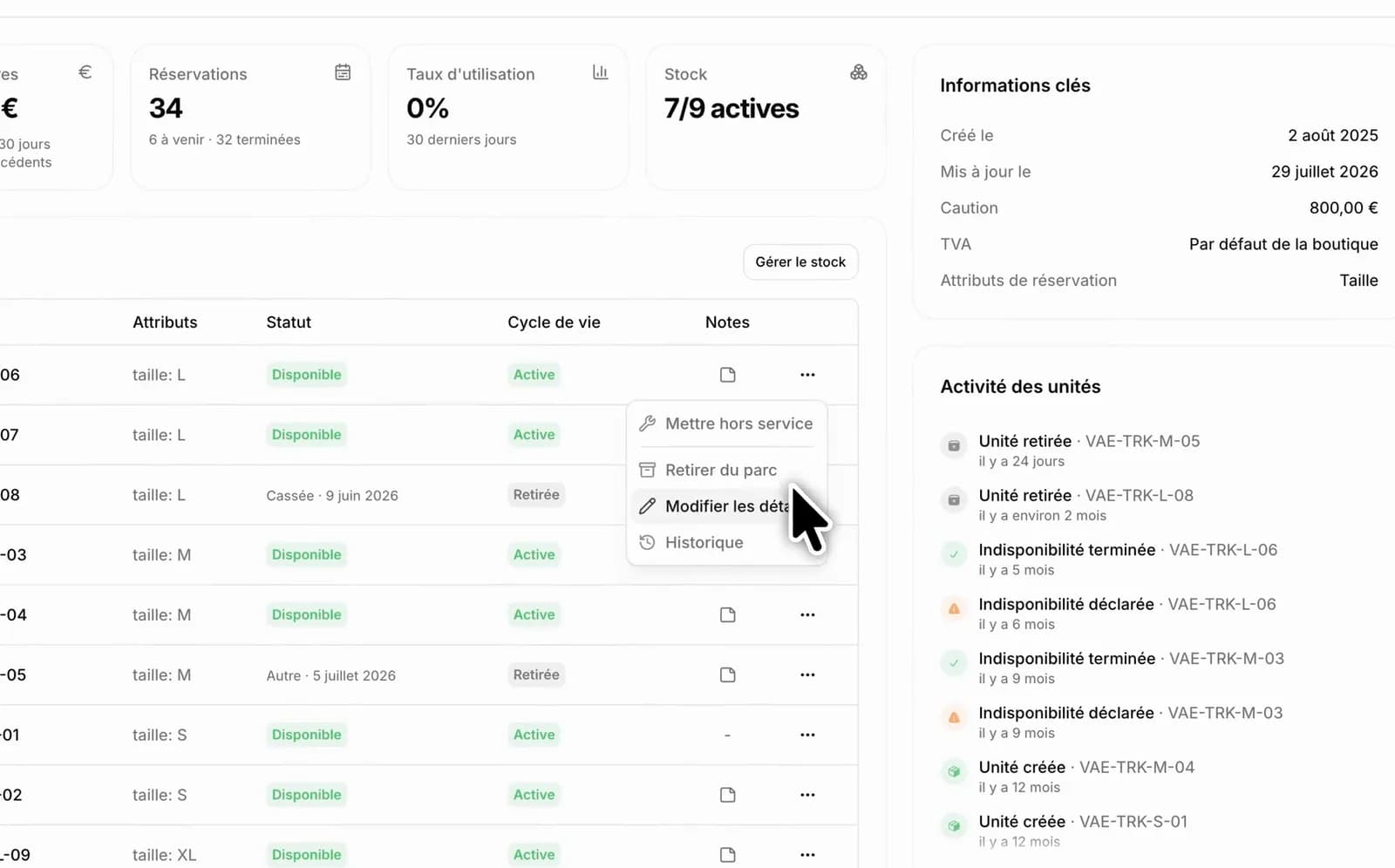
Until now, clicking a product opened its edit form. That was all. Nowhere told you what a product earns, whether it goes out, or what happened to that one unit you have been looking for since Tuesday.
Four figures at the top
- Revenue generated by this product, with how it moved over the last 30 days.
- Reservations, broken down into upcoming and already completed.
- Utilisation rate over 30 days: the share of the time the product was actually out.
- Stock — the quantity available, or the number of active units out of the total if you track them one by one.
The utilisation rate is the one that surprises people: it tells you which gear is sleeping at the back of the depot.
Inventory, on the spot
The Inventory section replaces the page of the same name. In simple quantity mode it shows stock and what remains available. With per-unit tracking it lists your units with their identifier, their variants and their state — and you declare downtime or retire a unit without changing page.
The product's schedule
This product's reservations read as a list or as a calendar. The calendar shows one row per unit and what stays available on each date, and you can drag across a free slot to start a reservation with its dates set and this product already in it.
Every unit's log
If you track your units one by one, a log follows their life: created, assigned to a reservation, put in downtime, repaired, retired, reinstated. It is what you look at when a customer returns a damaged bike and you want to know who had it before.
And the rest within reach
In the right-hand column, the key facts: deposit, VAT — yours or the one inherited from the store — creation date and last change. Below, the description, seasonal pricing, accessories and the gallery. One button opens the page as your customers see it, another the edit form.