Your reservations now open on the calendar
The Reservations page now opens on the calendar. It scrolls continuously, from one week to the next without changing page, and a hover gives you the whole reservation. The list and the per-product planning stay one click away.
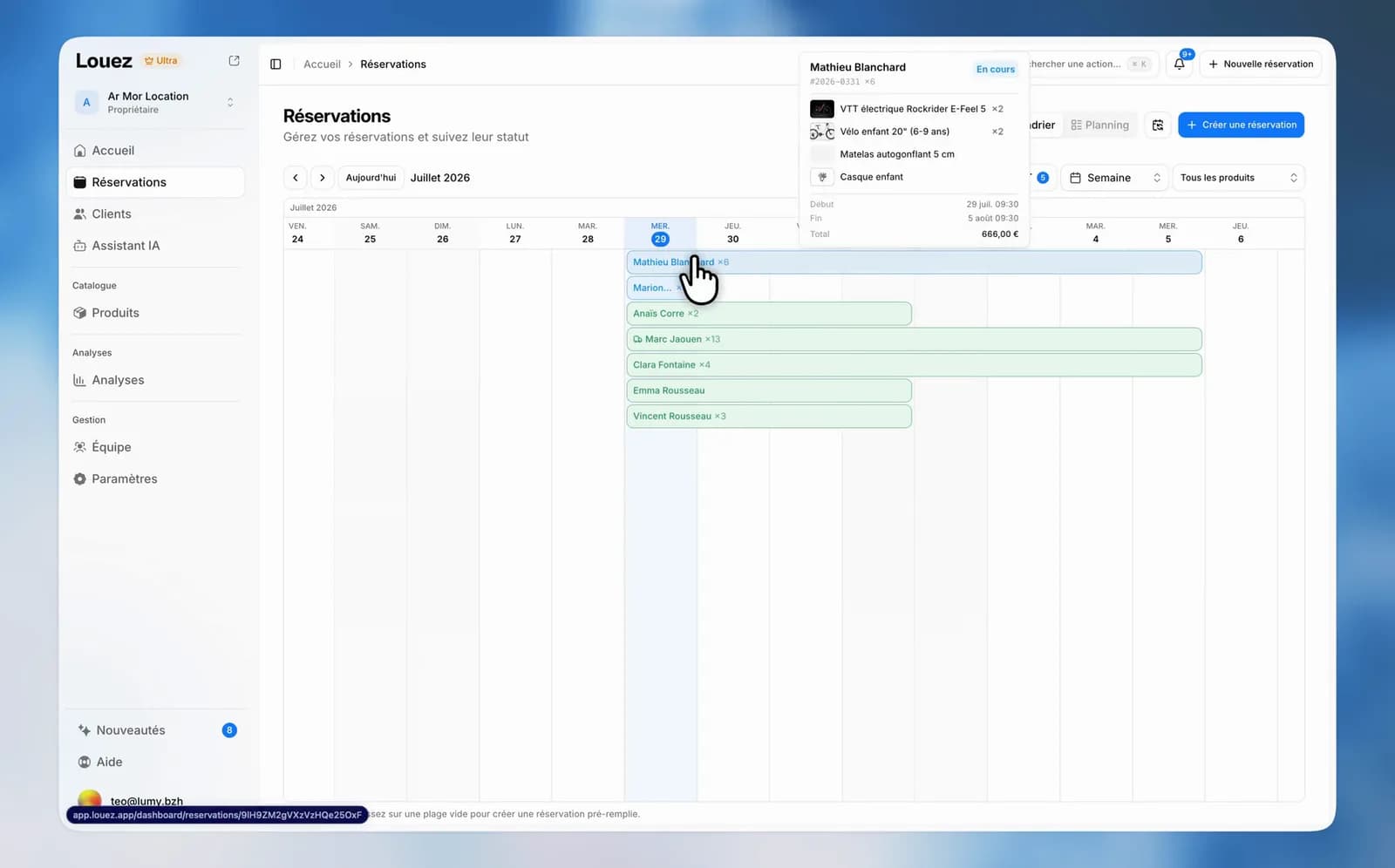
The calendar had a page of its own, browsed one screen at a time: a week, a click, the next one. The list had its own separate filters. The two are now a single page, and it opens on the calendar.
A calendar that scrolls
It opens on today and moves with horizontal scrolling: the following — or preceding — days load as you go, with no button to click and no reload. The month shown at the top follows your position, and switching from week to month leaves you where you were.
The whole reservation on hover
Hover a reservation: the customer, its number, the status, the products, the dates with times, the delivery addresses and the total amount all appear at once. The customer name and every product are clickable — you open the right page without leaving the calendar.
Three filters that combine
- Today's operations keep only the pick-ups, or only the returns.
- Statuses are ticked one by one; cancelled, rejected and declined reservations are hidden from the start.
- Products can be selected several at a time, with a search box when the catalogue is long.
Your filters are remembered between visits and travel in the URL: the link you share opens exactly the view you were looking at.
The list and the planning board
The list shows your reservations as cards or as a table, your choice. The planning board gives one row per product with the same continuous scrolling, keeps its product column visible on the left as you scroll, and adds a two-week scale.
In both the calendar and the planning board, drag across an empty slot to start a reservation with its dates already set — on the planning board, the product of that row comes along too.