⌘K takes you anywhere
The command palette opens any page, any setting, any product, customer or reservation. In settings, a search box takes you to the exact setting and highlights it. And breadcrumbs always tell you where you are.
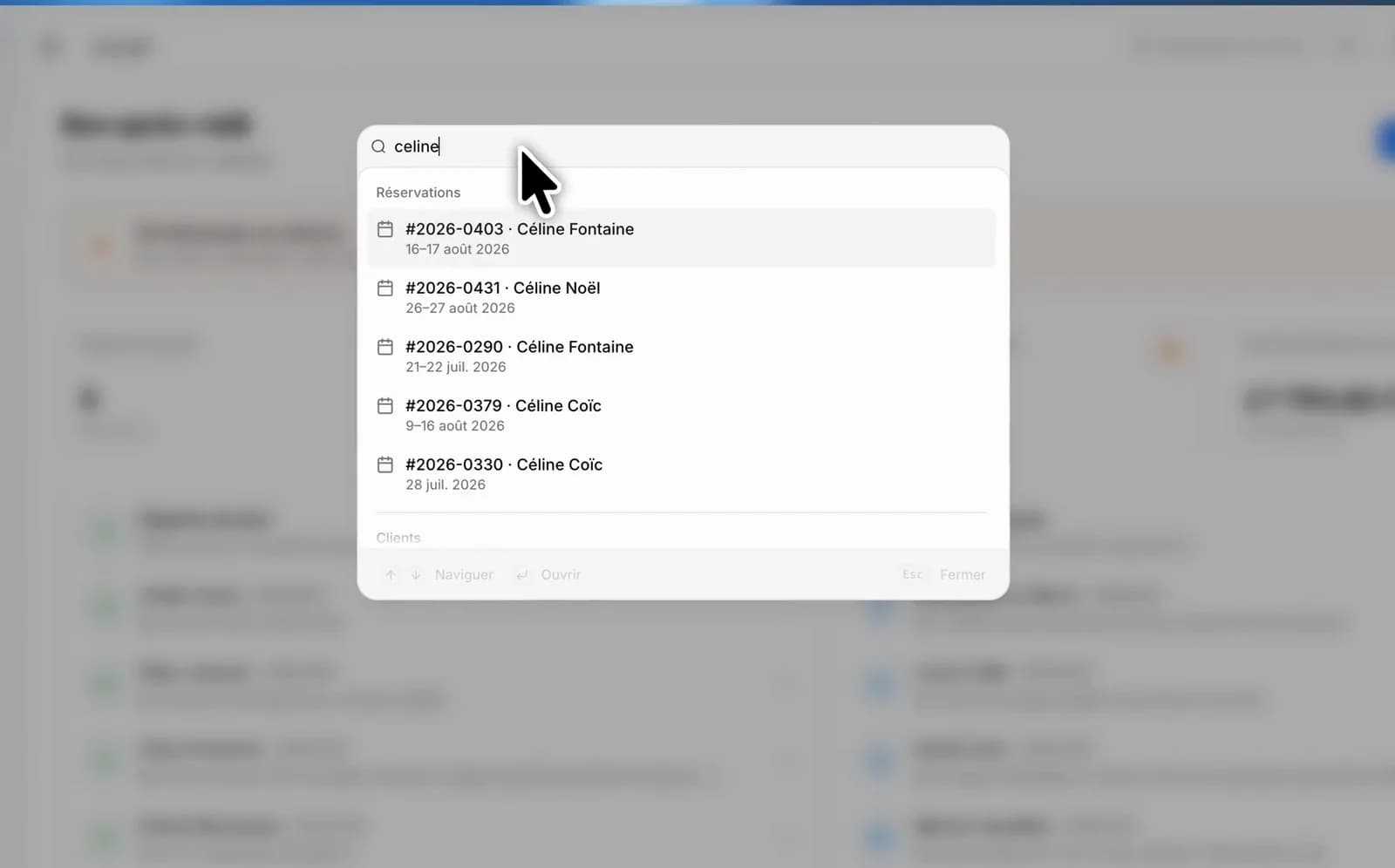
The dashboard has grown, and with it the number of pages to remember. Rather than adding menus, we added a shortcut: type what you are after, and Louez takes you there.
⌘K, from anywhere
Press ⌘K — Ctrl+K on Windows and Linux — on any page. The palette opens and groups its results by nature:
- Create: a reservation, a product, a customer, without going to the matching page first.
- Navigate: every page of the dashboard.
- Settings: each settings page, filed under its family — Store, Rentals, Communication, Account and data.
- Your data: from two characters on, the palette also searches your products (with their price), your reservations (by number or by customer, with their dates) and your customers.
Accents and case are ignored: “parametres” finds “Paramètres”.
A search box inside settings
Settings run to more than twenty pages. The search box at the top of the navigation does more than open the right page: it scrolls to the exact setting and highlights it for a few seconds, long enough for your eye to catch it.
Breadcrumbs that trace the whole path
At the top of every page, the full path — including from a page opened several levels deep, where it shows the item's real name rather than its identifier. Every level is clickable to step back up.