Your product photos get the studio treatment
On upload, AI cuts out your product, cleans up the background and centres it — or only removes the backdrop if you'd rather keep your framing. And every version stays in the photo's history: compare, change your mind, go back to the original.
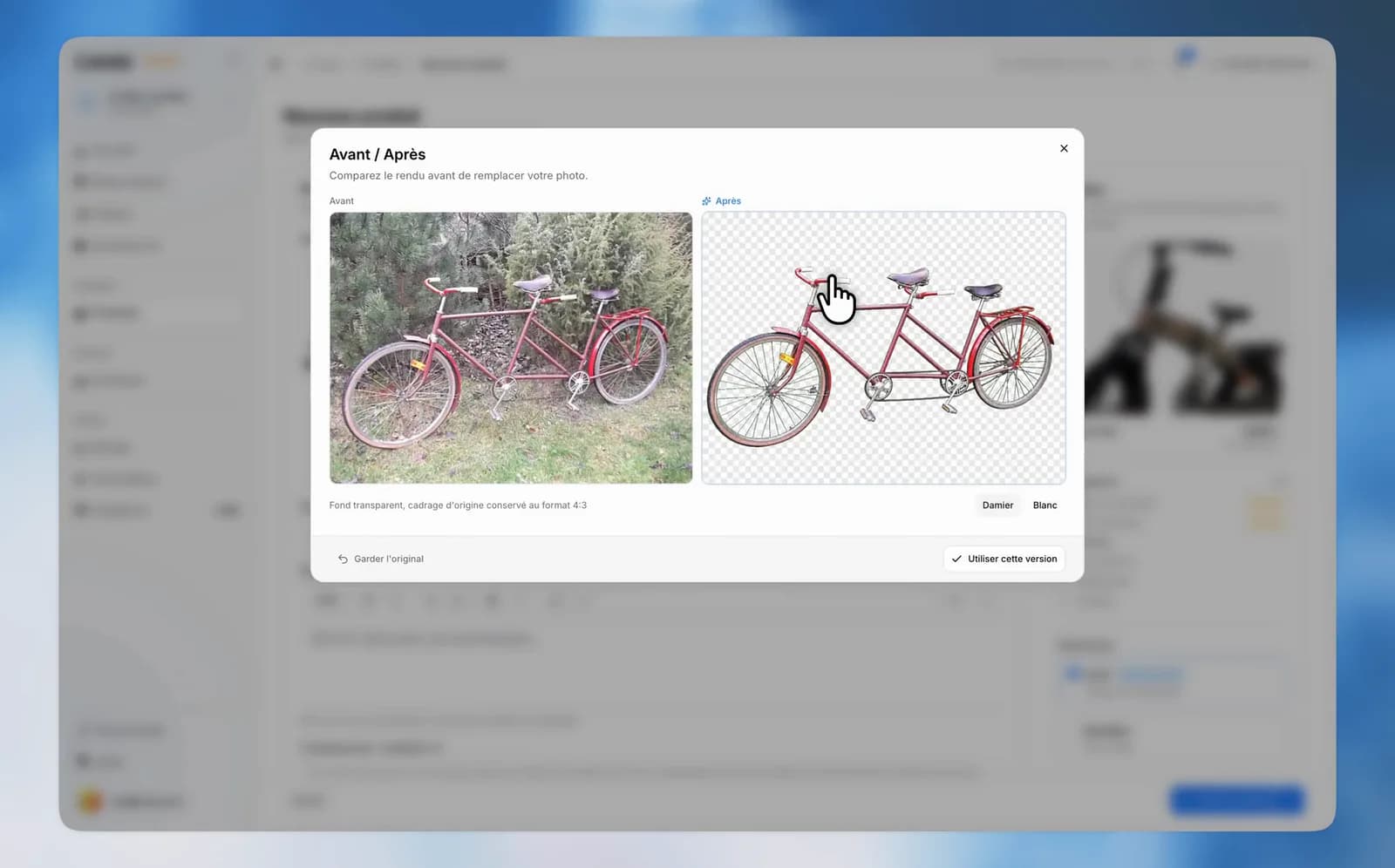
One photo taken on the kitchen table, another in the garage, a third pulled from the manufacturer's site: a catalog quickly ends up looking like a garage sale. That's now handled the moment the photo lands.
What should we do with this photo?
On every upload, Louez asks: Enhance with AI, Remove the background, crop it yourself, or use it as is. The credit cost is shown on each option, and nothing runs without you.
AI enhancement
Your product is cut out, placed on a clean background and centred in a 4:3 frame — the look of a studio shoot, minus the studio. Before it's used, every photo goes through a before / after review: you pick Use this version, or keep the original.
Or just remove the background
Attached to your framing and your light? Background removal alone replaces the backdrop and touches nothing else.
One look for the whole gallery
A single button processes all of a product's photos at once, skipping the ones AI has already handled. Each thumbnail shows where it stands — queued, processing, ready to review — and you can cancel mid-run: no credits are charged for photos that weren't processed.
A history that never erases anything
Every photo keeps all of its versions: the original, the cropped one, the AI-enhanced one, the one without a background. Open the photo's history to compare them, see which one is in use and switch between them in one click. Even an AI version you turned down stays there, in case you change your mind — and the original photo is never more than a click away.
About credits
AI enhancement uses AI credits; background removal has its own, lighter price — and when it's included in your plan, that's what the label says instead of a price. If your balance runs short, a link takes you straight to the top-up page, in a new tab, without losing your form.