One reservation, one page
No more steps to walk through: customer, period, products and delivery all fit on one page, with the summary always beside you. And everything that used to mean reopening the reservation afterwards — a discount, a negotiated price, the deposit, a walk-in customer — is now settled on the spot.
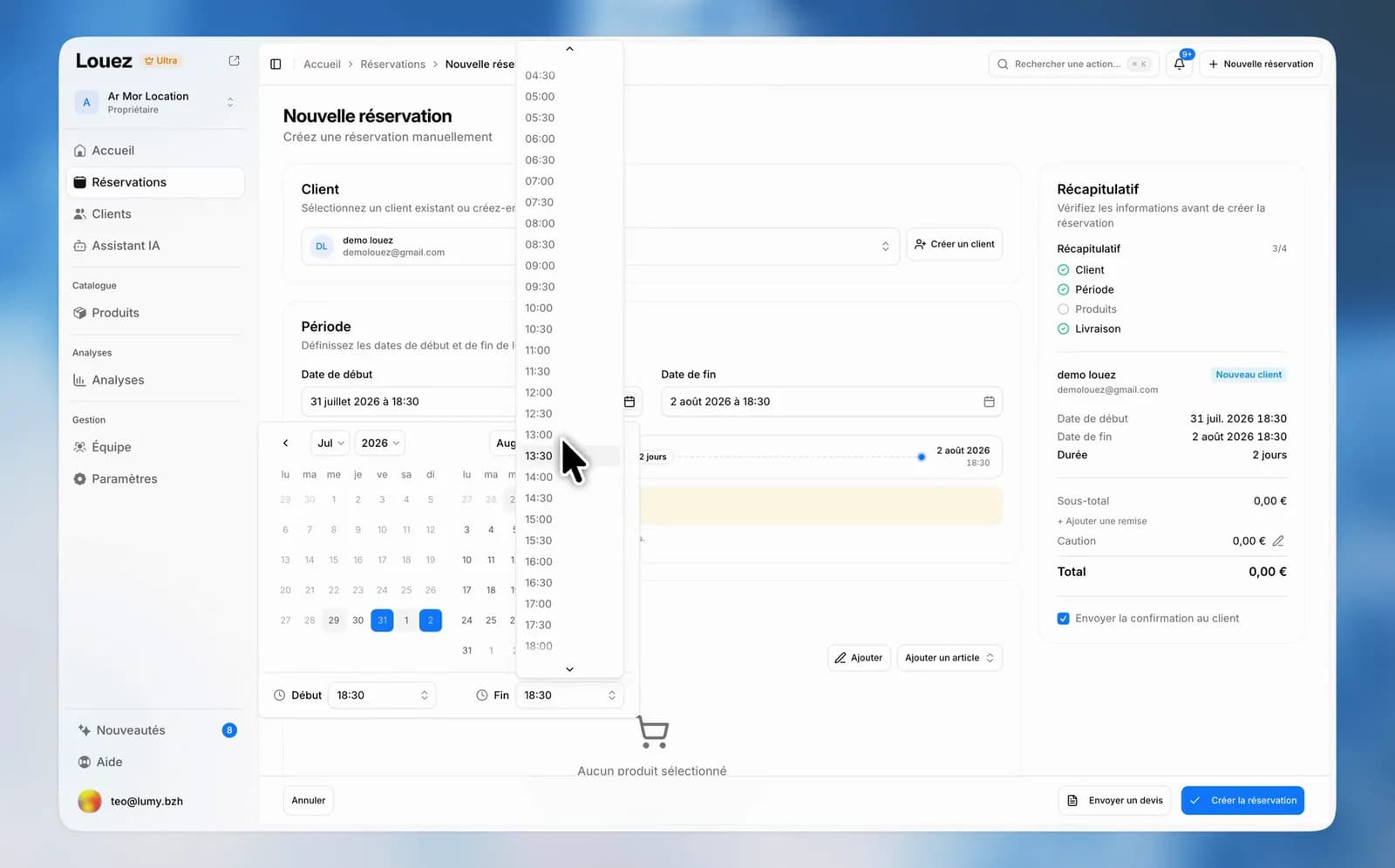
Creating a counter reservation took four or five steps — Customer, Period, Products, Delivery, Confirmation — chained one after the other. And once confirmed, you often had to reopen it to fix a price agreed over the counter. The customer on the phone waited through all of it.
One page, sections
Everything is there, top to bottom: the customer, the period, the products, delivery if you offer it, and your internal notes. You fill them in whatever order suits you and go back with a glance, instead of a round trip between steps.
No more validating a step to find out what is blocking, either: on submit, Louez scrolls to the incomplete section and points at the field concerned.
The summary is no longer a step
The old "Confirmation" step is gone. The summary stays next to the form while you fill it in: products, duration, total. It recalculates on every change, so you quote the price as you type, not three screens later.
Pricing is settled here, not afterwards
- A discount on the whole reservation, from a single field.
- On each line, a unit price, a total price or a percentage discount — the resulting unit price appears immediately, so you know exactly what you just granted.
- The deposit is adjusted for this booking, without touching the product itself.
The customer and availability too
A walk-in customer is created straight from the search field: they are saved and selected right away, and you will find them again next time.
On the gear side, only products free for the period are offered. If you decide to go ahead anyway, Louez warns you about the overbooking before you confirm, rather than letting you discover it on pick-up day.
Our goal was to make this as fast as possible, because it is usually done with a customer in front of you or on the phone. If you still see one click too many, tell us from the Help button at the bottom of the menu.